STEP I
To sign in to PUBG Mobile using SEAGM, follow these steps:
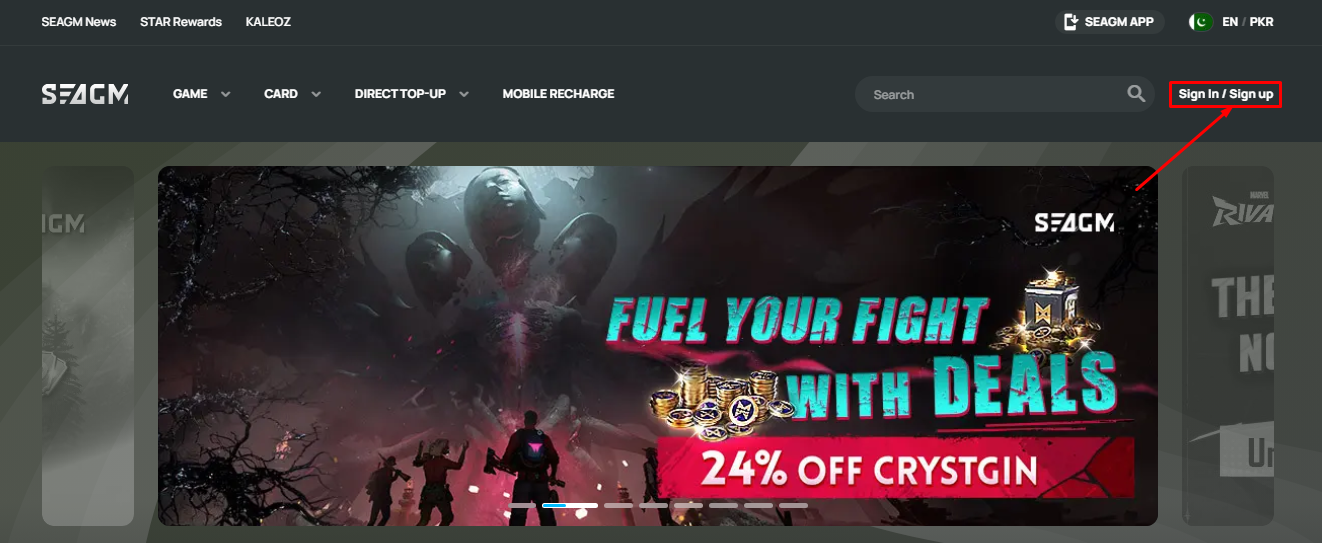
- Visit the SEAGM website and locate the “Sign In / Sign Up” button in the top-right corner of the page, as shown in the image.
- Click on “Sign In / Sign Up” to proceed to the login or registration page.
- Enter your credentials, such as your email and password, if you already have an account. Otherwise, register a new account by providing the required details.
STEP II
To sign up for PUBG Mobile using SEAGM, follow these steps:
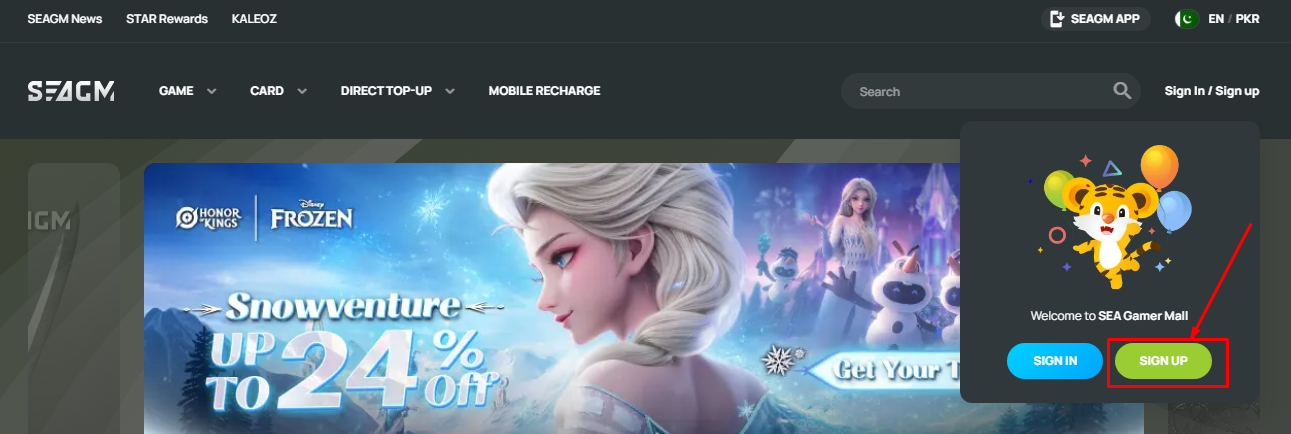
- A pop-up will appear, as shown in the image, with options to “SIGN IN” and “SIGN UP.”
- Click on the “SIGN UP” button, highlighted in green.
STEP III
To sign up for PUBG Mobile via SEAGM, follow these steps:
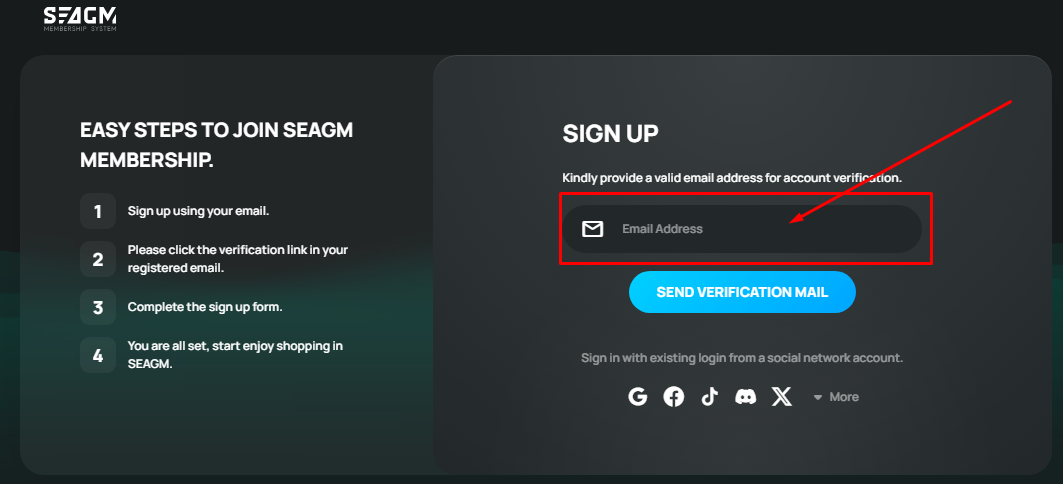
- After on the “SIGN UP” button on the SEAGM website to open the registration page, as shown in the image.
- Enter your email address in the provided field to begin the sign-up process.
- Click on “SEND VERIFICATION MAIL” to receive a verification email.
Step IV
Check Your Email
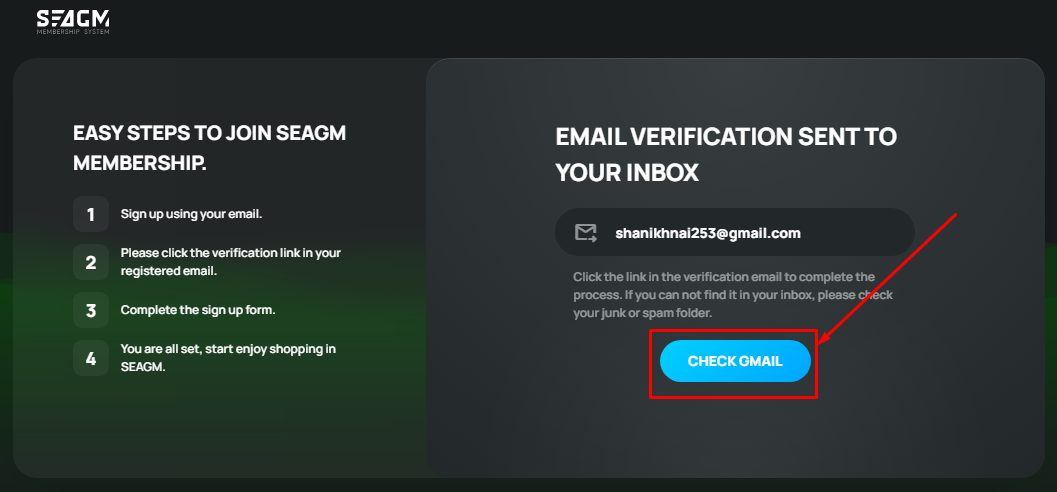
- SEAGM will send a verification email to the address you provided.
- Open your email inbox and look for the SEAGM verification message.
- If you don’t find the email in your inbox, check your Spam or Junk folder.
Step V
Verify Your Email
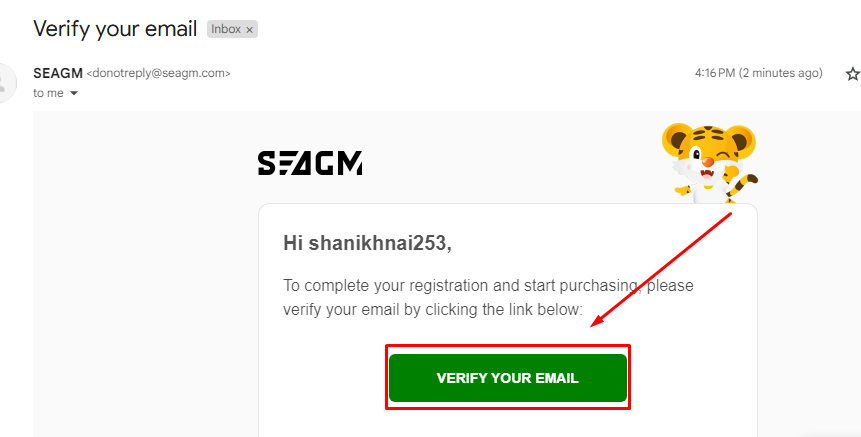
- Click the verification link in the email to confirm your account According to this image.
- This step is essential to activate your SEAGM membership.
Step VI
Complete the Registration Form:
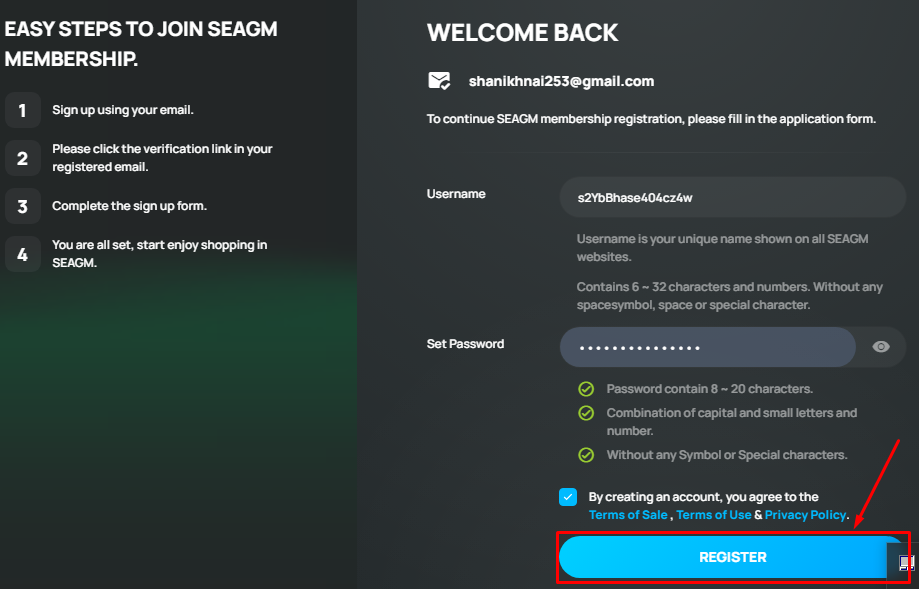
- Enter your desired username following the given requirements on the image.
- Set a strong password containing uppercase and lowercase letters and numbers.
- Agree to the Terms of Service & Privacy Policy.
Click on the “Register” Button:
- Finalize your account creation by clicking “Register.”
Step VII
Select PUBG Mobile UC Redeem Code
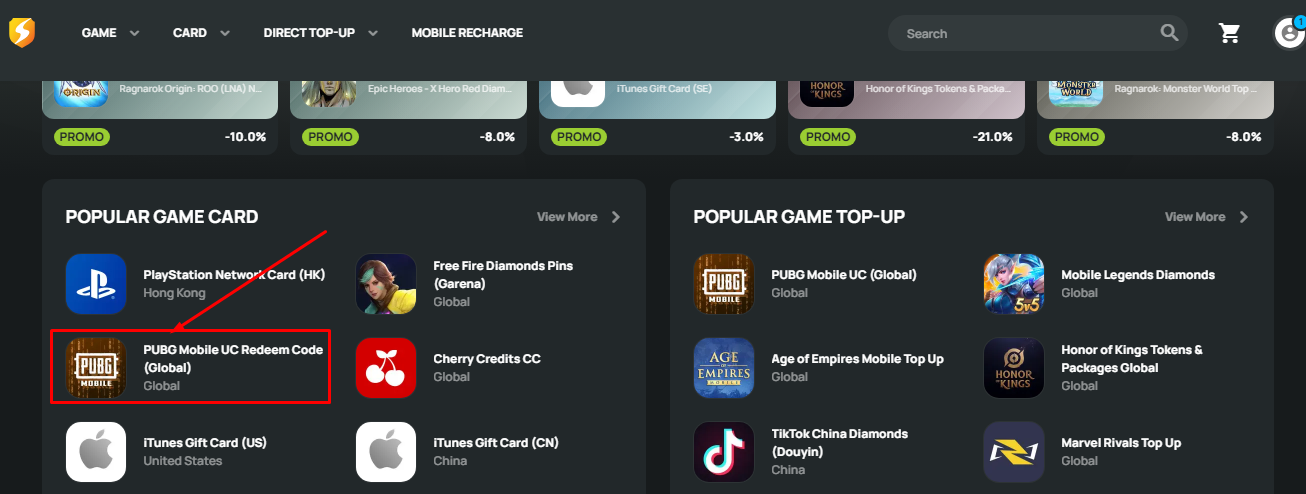
- Click on the PUBG Mobile UC Redeem Code (Global) option from the Popular Game Card section.
Choose the UC Amount
- Select the amount of UC (Unknown Cash) you want to purchase.
- Ensure you choose the correct package based on your needs.
Step VIII
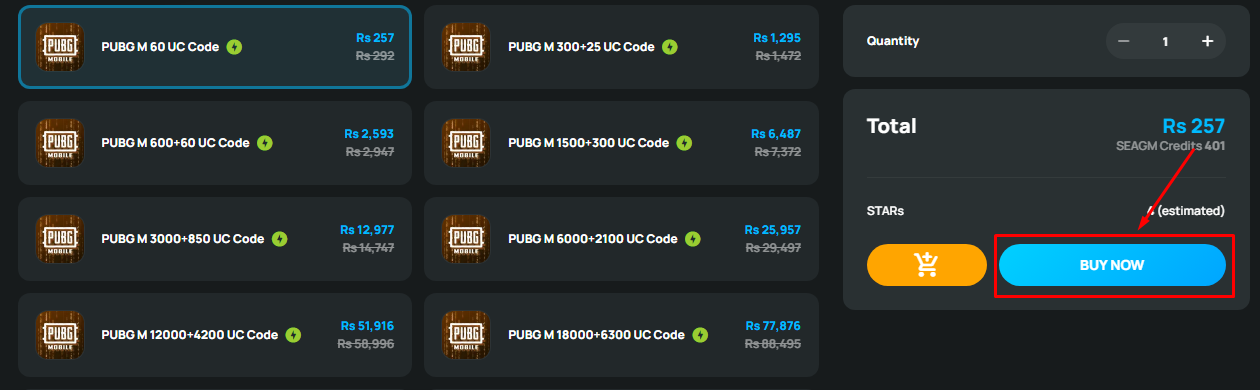
Check Pricing – Verify the total cost of your selected UC package, including any discounts or applied credits.
Set Quantity – Adjust the quantity if needed before proceeding to checkout.
Click “BUY NOW” – Press the “BUY NOW” button to initiate the payment process.
Step IX
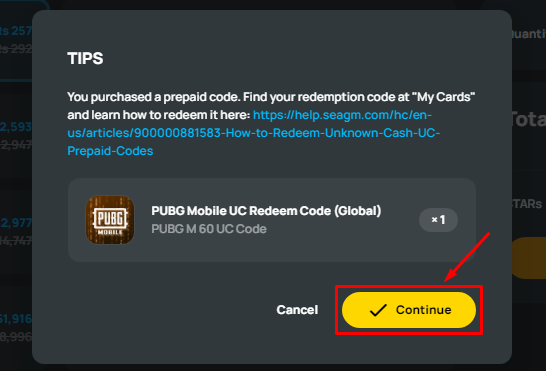
Purchase Confirmation – After completing your payment, you will receive a prepaid UC redemption code.
Locate Your Code – Your purchased PUBG Mobile UC Redeem Code (Global) will be stored under “My Cards” in your SEAGM account.
Click “Continue” – Press the yellow “Continue” button to proceed to the next step.
Step X
- Confirm that the correct PUBG Mobile UC Redeem Code package is selected.
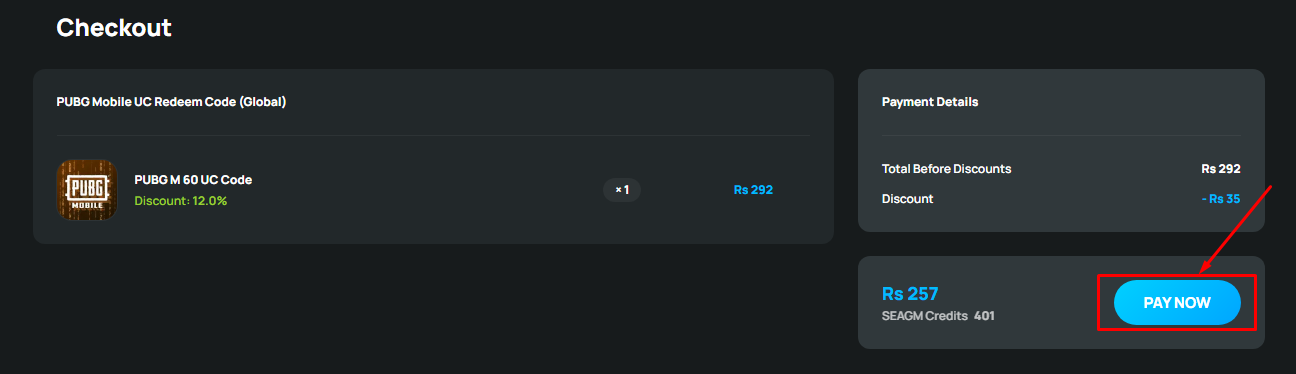
- Check the original price, applied discount, and the final payment amount.
- Make sure you have enough SEAGM Credits or select your preferred payment method.
Step 3: Click on “PAY NOW”
Click the blue “PAY NOW” button to proceed with the payment.